

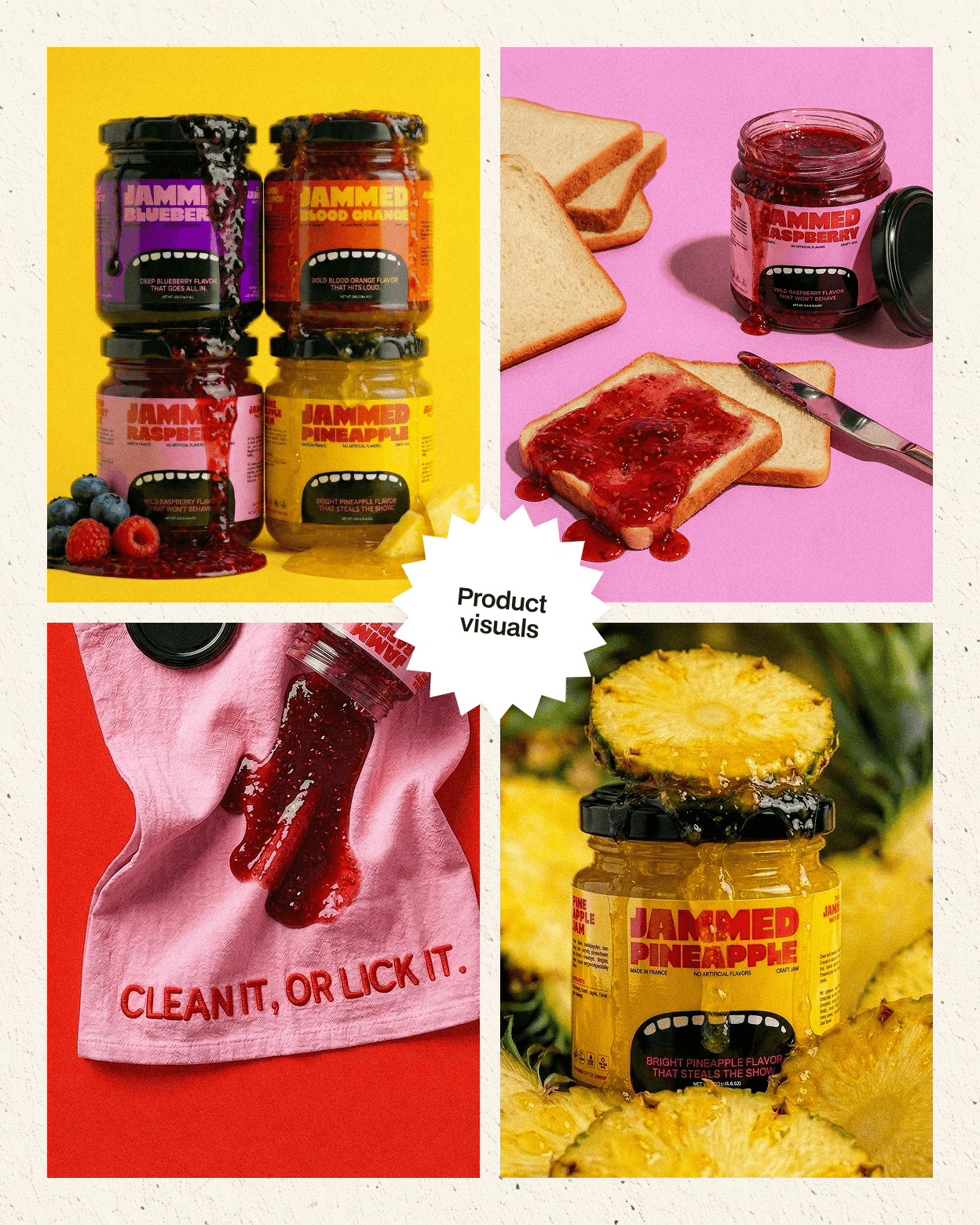

[ ai guide ]
premium brand
visuals
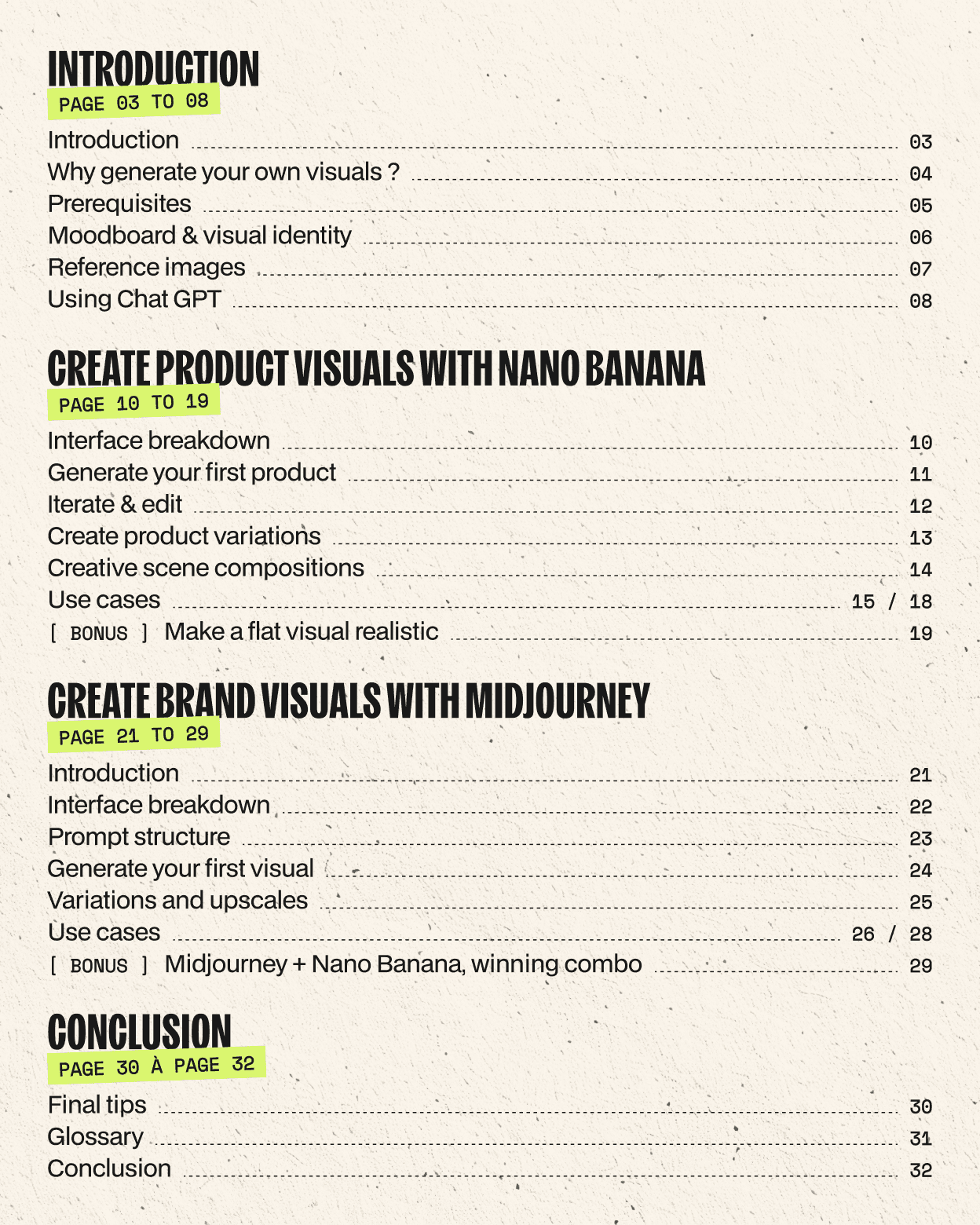
32-page guide · Secure payment via Stripe
[ the problem ]
your visuals deserve
better than


[ what you’ll learn ]
01
[ direction ]
Structure your visual direction
Moodboard and references: you set a clear direction before generating anything.
02
[ prompts ]
Write effective prompts
Structured prompts to get what you have in mind, faster.
03
[ generation ]
Generate your visuals
Realistic product visuals and cohesive lifestyle visuals with Midjourney and Nano Banana.
04
[ iteration ]
Iterate and refine
You refine your visuals until they’re worthy of a real branding project.
[ examples ]
what you’ll be able to


[ who is it for? ]
This guide
is for you if…
✅ You’re a designer or art director, freelance or in a studio
✅ You know how to set an art direction (moodboard, references) for a brand
✅ You want to create packshots and lifestyle visuals without organizing a photoshoot
✅ You’re tired of mockups and stock images you’ve seen everywhere
❌ You’re looking for a tool that generates everything in one click, with no art direction
❌ You don’t have an art direction yet: the guide doesn’t replace brand design work
❌ You want an advanced technical AI course: this guide covers the basics, in service of creative work

[ who am i? ]
I’m a designer and the founder of Lunar Studio, a branding and web design studio based in Lille, France. In this guide, I share the process I use to create brand visuals with AI.
[ faq ]
your questions,
[ the guide ]
✅ A 32-page guide
✅ The complete process, from visual direction to final visuals
✅ Midjourney & Nano Banana
✅ Secure payment via Stripe
" height="38px" id="dRMB6_2cf" transform="translate(0 4)" width="114px"/><path d="M 0 5.455 C 0 4.703 0.141 3.999 0.424 3.343 C 0.706 2.682 1.098 2.101 1.6 1.6 C 2.101 1.098 2.68 0.706 3.336 0.424 C 3.997 0.141 4.703 0 5.455 0 C 6.207 0 6.911 0.141 7.567 0.424 C 8.228 0.706 8.809 1.098 9.311 1.6 C 9.812 2.101 10.204 2.682 10.486 3.343 C 10.769 3.999 10.91 4.703 10.91 5.455 C 10.91 6.079 10.81 6.672 10.609 7.232 C 10.413 7.793 10.14 8.301 9.789 8.757 L 13.132 12.12 C 13.205 12.193 13.259 12.277 13.296 12.373 C 13.337 12.469 13.357 12.571 13.357 12.681 C 13.357 12.831 13.323 12.968 13.255 13.091 C 13.191 13.214 13.1 13.31 12.981 13.378 C 12.863 13.451 12.726 13.487 12.571 13.487 C 12.462 13.487 12.357 13.467 12.257 13.426 C 12.161 13.389 12.072 13.332 11.99 13.255 L 8.627 9.885 C 8.18 10.204 7.688 10.454 7.15 10.637 C 6.613 10.819 6.047 10.91 5.455 10.91 C 4.703 10.91 3.997 10.769 3.336 10.486 C 2.68 10.204 2.101 9.812 1.6 9.311 C 1.098 8.809 0.706 8.23 0.424 7.574 C 0.141 6.913 0 6.207 0 5.455 Z M 1.169 5.455 C 1.169 6.048 1.278 6.604 1.497 7.123 C 1.72 7.638 2.028 8.092 2.42 8.483 C 2.816 8.875 3.272 9.183 3.787 9.406 C 4.307 9.63 4.863 9.741 5.455 9.741 C 6.048 9.741 6.601 9.63 7.116 9.406 C 7.636 9.183 8.091 8.875 8.483 8.483 C 8.875 8.092 9.183 7.638 9.406 7.123 C 9.63 6.604 9.741 6.048 9.741 5.455 C 9.741 4.863 9.63 4.309 9.406 3.794 C 9.183 3.274 8.875 2.819 8.483 2.427 C 8.091 2.03 7.636 1.723 7.116 1.504 C 6.601 1.281 6.048 1.169 5.455 1.169 C 4.863 1.169 4.307 1.281 3.787 1.504 C 3.272 1.723 2.816 2.03 2.42 2.427 C 2.028 2.819 1.72 3.274 1.497 3.794 C 1.278 4.309 1.169 4.863 1.169 5.455 Z" fill="rgb(114, 114, 114)" height="13.487300000000005px" id="qxY2d0tLe" transform="translate(12.572 16.324)" width="13.357399999999998px"/><path d="M 7 11.917 C 9.838 11.441 12 8.973 12 6 C 12 2.686 9.314 0 6 0 C 2.686 0 0 2.686 0 6 C 0 8.973 2.162 11.441 5 11.917 L 5 34 L 7 34 Z" fill="rgb(0, 122, 255)" height="34px" id="xvK3GjoTb" transform="translate(27 0)" width="12px"/><path d="M 0 22 L 0 0 L 69 0 L 69 22 Z" fill="rgba(0, 122, 255, 0.2)" height="22px" id="XcjqkwnTQ" transform="translate(33 12)" width="69px"/><path d="M 0 12.64 L 0 0 L 1.632 0 L 1.632 5.088 C 1.941 4.544 2.347 4.139 2.848 3.872 C 3.36 3.605 3.941 3.472 4.592 3.472 C 5.381 3.472 6.069 3.664 6.656 4.048 C 7.243 4.432 7.696 4.981 8.016 5.696 C 8.336 6.4 8.496 7.232 8.496 8.192 C 8.496 9.131 8.336 9.947 8.016 10.64 C 7.707 11.323 7.264 11.856 6.688 12.24 C 6.112 12.613 5.424 12.8 4.624 12.8 C 3.941 12.8 3.333 12.651 2.8 12.352 C 2.267 12.043 1.872 11.627 1.616 11.104 L 1.504 12.64 Z M 1.632 8.752 C 1.632 9.275 1.744 9.739 1.968 10.144 C 2.192 10.539 2.501 10.848 2.896 11.072 C 3.291 11.285 3.749 11.392 4.272 11.392 C 5.083 11.392 5.707 11.115 6.144 10.56 C 6.592 9.995 6.816 9.205 6.816 8.192 C 6.816 7.136 6.592 6.32 6.144 5.744 C 5.707 5.168 5.077 4.88 4.256 4.88 C 3.723 4.88 3.259 4.997 2.864 5.232 C 2.469 5.456 2.165 5.781 1.952 6.208 C 1.739 6.624 1.632 7.12 1.632 7.696 Z M 9.873 12.64 L 9.873 3.632 L 11.345 3.632 L 11.441 4.96 C 11.676 4.501 11.975 4.149 12.337 3.904 C 12.711 3.659 13.137 3.536 13.617 3.536 C 13.948 3.536 14.193 3.568 14.353 3.632 L 14.353 5.184 L 14.241 5.184 C 14.156 5.152 14.055 5.131 13.937 5.12 C 13.831 5.099 13.724 5.088 13.617 5.088 C 13.009 5.088 12.519 5.275 12.145 5.648 C 11.783 6.021 11.575 6.523 11.521 7.152 L 11.521 12.64 Z M 17.571 12.8 C 16.632 12.8 15.901 12.571 15.379 12.112 C 14.867 11.643 14.611 11.035 14.611 10.288 C 14.611 9.691 14.744 9.205 15.011 8.832 C 15.288 8.459 15.645 8.171 16.083 7.968 C 16.52 7.755 16.995 7.6 17.507 7.504 L 19.395 7.152 C 19.875 7.067 20.189 6.939 20.339 6.768 C 20.488 6.587 20.563 6.352 20.563 6.064 C 20.563 5.691 20.429 5.381 20.163 5.136 C 19.896 4.88 19.411 4.752 18.707 4.752 C 18.024 4.752 17.48 4.885 17.075 5.152 C 16.669 5.419 16.472 5.829 16.483 6.384 L 14.931 6.224 C 14.952 5.339 15.304 4.661 15.987 4.192 C 16.68 3.712 17.587 3.472 18.707 3.472 C 19.453 3.472 20.083 3.573 20.595 3.776 C 21.117 3.968 21.512 4.267 21.779 4.672 C 22.056 5.077 22.195 5.584 22.195 6.192 L 22.195 10.736 C 22.195 11.056 22.253 11.264 22.371 11.36 C 22.488 11.456 22.616 11.504 22.755 11.504 C 22.84 11.504 22.904 11.504 22.947 11.504 C 22.989 11.493 23.016 11.483 23.027 11.472 L 23.123 11.472 L 23.123 12.64 C 23.016 12.683 22.872 12.715 22.691 12.736 C 22.52 12.757 22.392 12.768 22.307 12.768 C 21.848 12.768 21.475 12.656 21.187 12.432 C 20.909 12.208 20.771 11.867 20.771 11.408 L 20.771 11.12 C 20.547 11.621 20.141 12.027 19.555 12.336 C 18.968 12.645 18.307 12.8 17.571 12.8 Z M 17.987 11.488 C 18.627 11.488 19.176 11.355 19.635 11.088 C 20.104 10.811 20.419 10.427 20.579 9.936 L 20.579 7.872 L 20.755 7.936 C 20.648 8.043 20.477 8.128 20.243 8.192 C 20.019 8.256 19.699 8.331 19.283 8.416 L 17.955 8.688 C 17.283 8.827 16.835 9.029 16.611 9.296 C 16.397 9.563 16.291 9.851 16.291 10.16 C 16.291 10.619 16.451 10.955 16.771 11.168 C 17.091 11.381 17.496 11.488 17.987 11.488 Z M 24.104 12.64 L 24.104 3.632 L 25.608 3.632 L 25.704 4.992 C 26.088 4.469 26.52 4.085 27 3.84 C 27.48 3.595 28.029 3.472 28.648 3.472 C 29.555 3.472 30.296 3.733 30.872 4.256 C 31.459 4.768 31.752 5.557 31.752 6.624 L 31.752 12.64 L 30.12 12.64 L 30.12 6.784 C 30.12 6.219 29.96 5.771 29.64 5.44 C 29.32 5.109 28.835 4.944 28.184 4.944 C 27.747 4.944 27.341 5.04 26.968 5.232 C 26.595 5.413 26.296 5.68 26.072 6.032 C 25.859 6.384 25.752 6.805 25.752 7.296 L 25.752 12.64 Z M 33.138 8.192 C 33.138 7.232 33.298 6.4 33.618 5.696 C 33.938 4.981 34.391 4.432 34.978 4.048 C 35.565 3.664 36.253 3.472 37.042 3.472 C 37.725 3.472 38.317 3.611 38.818 3.888 C 39.319 4.165 39.714 4.565 40.002 5.088 L 40.002 0 L 41.634 0 L 41.634 12.64 L 40.114 12.64 L 40.002 11.104 C 39.746 11.627 39.351 12.043 38.818 12.352 C 38.295 12.651 37.687 12.8 36.994 12.8 C 36.205 12.8 35.517 12.613 34.93 12.24 C 34.354 11.856 33.911 11.323 33.602 10.64 C 33.293 9.947 33.138 9.131 33.138 8.192 Z M 34.818 8.192 C 34.818 9.216 35.037 10.005 35.474 10.56 C 35.911 11.115 36.535 11.392 37.346 11.392 C 37.879 11.392 38.343 11.28 38.738 11.056 C 39.143 10.821 39.453 10.501 39.666 10.096 C 39.89 9.68 40.002 9.2 40.002 8.656 L 40.002 7.696 C 40.002 7.12 39.895 6.624 39.682 6.208 C 39.469 5.781 39.165 5.456 38.77 5.232 C 38.375 4.997 37.906 4.88 37.362 4.88 C 36.551 4.88 35.922 5.168 35.474 5.744 C 35.037 6.32 34.818 7.136 34.818 8.192 Z M 43.491 12.64 L 43.491 3.632 L 45.139 3.632 L 45.139 12.64 Z M 43.571 2.144 L 43.571 0.064 L 45.075 0.064 L 45.075 2.144 Z M 47.49 12.64 L 47.49 3.632 L 48.994 3.632 L 49.09 4.992 C 49.474 4.469 49.906 4.085 50.386 3.84 C 50.866 3.595 51.415 3.472 52.034 3.472 C 52.94 3.472 53.682 3.733 54.258 4.256 C 54.844 4.768 55.138 5.557 55.138 6.624 L 55.138 12.64 L 53.506 12.64 L 53.506 6.784 C 53.506 6.219 53.346 5.771 53.026 5.44 C 52.706 5.109 52.22 4.944 51.57 4.944 C 51.132 4.944 50.727 5.04 50.354 5.232 C 49.98 5.413 49.682 5.68 49.458 6.032 C 49.244 6.384 49.138 6.805 49.138 7.296 L 49.138 12.64 Z M 60.523 15.456 C 59.467 15.456 58.625 15.227 57.995 14.768 C 57.377 14.309 57.025 13.707 56.939 12.96 L 58.427 12.608 C 58.47 13.003 58.587 13.317 58.779 13.552 C 58.982 13.787 59.243 13.952 59.563 14.048 C 59.883 14.155 60.23 14.208 60.603 14.208 C 61.339 14.208 61.931 14.032 62.379 13.68 C 62.827 13.339 63.051 12.773 63.051 11.984 L 63.051 10.352 C 62.774 10.843 62.395 11.2 61.915 11.424 C 61.435 11.637 60.875 11.744 60.235 11.744 C 59.478 11.744 58.817 11.573 58.251 11.232 C 57.697 10.891 57.27 10.416 56.971 9.808 C 56.673 9.189 56.523 8.469 56.523 7.648 C 56.523 6.837 56.667 6.117 56.955 5.488 C 57.254 4.859 57.675 4.368 58.219 4.016 C 58.763 3.653 59.409 3.472 60.155 3.472 C 60.817 3.472 61.403 3.621 61.915 3.92 C 62.438 4.208 62.817 4.608 63.051 5.12 L 63.147 3.632 L 64.667 3.632 L 64.667 11.952 C 64.667 12.645 64.518 13.253 64.219 13.776 C 63.921 14.309 63.462 14.72 62.843 15.008 C 62.235 15.307 61.462 15.456 60.523 15.456 Z M 60.587 10.544 C 61.078 10.544 61.505 10.432 61.867 10.208 C 62.241 9.973 62.529 9.664 62.731 9.28 C 62.945 8.885 63.051 8.443 63.051 7.952 L 63.051 7.344 C 63.051 6.853 62.945 6.421 62.731 6.048 C 62.518 5.675 62.225 5.381 61.851 5.168 C 61.478 4.944 61.041 4.832 60.539 4.832 C 59.793 4.832 59.217 5.093 58.811 5.616 C 58.406 6.128 58.203 6.811 58.203 7.664 C 58.203 8.507 58.406 9.2 58.811 9.744 C 59.217 10.277 59.809 10.544 60.587 10.544 Z" fill="rgb(0, 0, 0)" height="15.455999883651735px" id="l3C5GtbCL" transform="translate(36.136 16.36)" width="64.66699880981444px"/><path d="M 7 22.083 C 9.838 22.559 12 25.027 12 28 C 12 31.314 9.314 34 6 34 C 2.686 34 0 31.314 0 28 C 0 25.027 2.162 22.559 5 22.083 L 5 0 L 7 0 Z" fill="rgb(0, 122, 255)" height="34px" id="MouiWTScR" transform="translate(97 12)" width="12px"/></g></svg>)
" height="38px" id="X3ScWbJds" transform="translate(0 4)" width="129px"/><path d="M 0 5.455 C 0 4.703 0.141 3.999 0.424 3.343 C 0.706 2.682 1.098 2.101 1.6 1.6 C 2.101 1.098 2.68 0.706 3.336 0.424 C 3.997 0.141 4.703 0 5.455 0 C 6.207 0 6.911 0.141 7.567 0.424 C 8.228 0.706 8.809 1.098 9.311 1.6 C 9.812 2.101 10.204 2.682 10.486 3.343 C 10.769 3.999 10.91 4.703 10.91 5.455 C 10.91 6.079 10.81 6.672 10.609 7.232 C 10.413 7.793 10.14 8.301 9.789 8.757 L 13.132 12.12 C 13.205 12.193 13.259 12.277 13.296 12.373 C 13.337 12.469 13.357 12.571 13.357 12.681 C 13.357 12.831 13.323 12.968 13.255 13.091 C 13.191 13.214 13.1 13.31 12.981 13.378 C 12.863 13.451 12.726 13.487 12.571 13.487 C 12.462 13.487 12.357 13.467 12.257 13.426 C 12.161 13.389 12.072 13.332 11.99 13.255 L 8.627 9.885 C 8.18 10.204 7.688 10.454 7.15 10.637 C 6.613 10.819 6.047 10.91 5.455 10.91 C 4.703 10.91 3.997 10.769 3.336 10.486 C 2.68 10.204 2.101 9.812 1.6 9.311 C 1.098 8.809 0.706 8.23 0.424 7.574 C 0.141 6.913 0 6.207 0 5.455 Z M 1.169 5.455 C 1.169 6.048 1.278 6.604 1.497 7.123 C 1.72 7.638 2.028 8.092 2.42 8.483 C 2.816 8.875 3.272 9.183 3.787 9.406 C 4.307 9.63 4.863 9.741 5.455 9.741 C 6.048 9.741 6.601 9.63 7.116 9.406 C 7.636 9.183 8.091 8.875 8.483 8.483 C 8.875 8.092 9.183 7.638 9.406 7.123 C 9.63 6.604 9.741 6.048 9.741 5.455 C 9.741 4.863 9.63 4.309 9.406 3.794 C 9.183 3.274 8.875 2.819 8.483 2.427 C 8.091 2.03 7.636 1.723 7.116 1.504 C 6.601 1.281 6.048 1.169 5.455 1.169 C 4.863 1.169 4.307 1.281 3.787 1.504 C 3.272 1.723 2.816 2.03 2.42 2.427 C 2.028 2.819 1.72 3.274 1.497 3.794 C 1.278 4.309 1.169 4.863 1.169 5.455 Z" fill="rgb(114, 114, 114)" height="13.487300000000005px" id="vKl5sY4KQ" transform="translate(12.572 16.324)" width="13.357399999999998px"/><path d="M 7 11.917 C 9.838 11.441 12 8.973 12 6 C 12 2.686 9.314 0 6 0 C 2.686 0 0 2.686 0 6 C 0 8.973 2.162 11.441 5 11.917 L 5 34 L 7 34 Z" fill="rgb(0, 122, 255)" height="34px" id="rWg7shJO2" transform="translate(27 0)" width="12px"/><path d="M 0 22 L 0 0 L 84 0 L 84 22 Z" fill="rgba(0, 122, 255, 0.2)" height="22px" id="mnaNvYhHv" transform="translate(33 12)" width="84px"/><path d="M 2.624 12.64 L 0 3.632 L 1.712 3.632 L 3.552 11.024 L 5.28 3.632 L 7.12 3.632 L 8.896 10.944 L 10.704 3.632 L 12.352 3.632 L 9.792 12.64 L 7.92 12.64 L 6.208 5.6 L 4.56 12.64 Z M 17.064 12.8 C 16.2 12.8 15.443 12.619 14.792 12.256 C 14.152 11.883 13.651 11.349 13.288 10.656 C 12.936 9.963 12.76 9.125 12.76 8.144 C 12.76 7.205 12.925 6.389 13.256 5.696 C 13.597 4.992 14.083 4.448 14.712 4.064 C 15.341 3.669 16.104 3.472 17 3.472 C 17.853 3.472 18.589 3.659 19.208 4.032 C 19.837 4.405 20.312 4.971 20.632 5.728 C 20.952 6.475 21.075 7.413 21 8.544 L 14.184 8.544 L 14.184 7.312 L 20.024 7.312 L 19.272 7.888 C 19.411 6.96 19.272 6.208 18.856 5.632 C 18.451 5.056 17.821 4.768 16.968 4.768 C 16.221 4.768 15.603 5.029 15.112 5.552 C 14.621 6.075 14.376 6.928 14.376 8.112 C 14.376 9.232 14.611 10.069 15.08 10.624 C 15.549 11.168 16.216 11.44 17.08 11.44 C 17.741 11.44 18.275 11.291 18.68 10.992 C 19.085 10.693 19.336 10.277 19.432 9.744 L 20.888 10.08 C 20.781 10.624 20.557 11.099 20.216 11.504 C 19.875 11.909 19.437 12.229 18.904 12.464 C 18.371 12.688 17.757 12.8 17.064 12.8 Z M 22.238 12.64 L 22.238 0 L 23.87 0 L 23.87 5.088 C 24.18 4.544 24.585 4.139 25.086 3.872 C 25.598 3.605 26.18 3.472 26.83 3.472 C 27.62 3.472 28.308 3.664 28.894 4.048 C 29.481 4.432 29.934 4.981 30.254 5.696 C 30.574 6.4 30.734 7.232 30.734 8.192 C 30.734 9.131 30.574 9.947 30.254 10.64 C 29.945 11.323 29.502 11.856 28.926 12.24 C 28.35 12.613 27.662 12.8 26.862 12.8 C 26.18 12.8 25.572 12.651 25.038 12.352 C 24.505 12.043 24.11 11.627 23.854 11.104 L 23.742 12.64 Z M 23.87 8.752 C 23.87 9.275 23.982 9.739 24.206 10.144 C 24.43 10.539 24.74 10.848 25.134 11.072 C 25.529 11.285 25.988 11.392 26.51 11.392 C 27.321 11.392 27.945 11.115 28.382 10.56 C 28.83 9.995 29.054 9.205 29.054 8.192 C 29.054 7.136 28.83 6.32 28.382 5.744 C 27.945 5.168 27.316 4.88 26.494 4.88 C 25.961 4.88 25.497 4.997 25.102 5.232 C 24.708 5.456 24.404 5.781 24.19 6.208 C 23.977 6.624 23.87 7.12 23.87 7.696 Z M 31.663 8.192 C 31.663 7.232 31.823 6.4 32.143 5.696 C 32.463 4.981 32.916 4.432 33.503 4.048 C 34.089 3.664 34.777 3.472 35.567 3.472 C 36.249 3.472 36.841 3.611 37.343 3.888 C 37.844 4.165 38.239 4.565 38.527 5.088 L 38.527 0 L 40.159 0 L 40.159 12.64 L 38.639 12.64 L 38.527 11.104 C 38.271 11.627 37.876 12.043 37.343 12.352 C 36.82 12.651 36.212 12.8 35.519 12.8 C 34.729 12.8 34.041 12.613 33.455 12.24 C 32.879 11.856 32.436 11.323 32.127 10.64 C 31.817 9.947 31.663 9.131 31.663 8.192 Z M 33.343 8.192 C 33.343 9.216 33.561 10.005 33.999 10.56 C 34.436 11.115 35.06 11.392 35.871 11.392 C 36.404 11.392 36.868 11.28 37.263 11.056 C 37.668 10.821 37.977 10.501 38.191 10.096 C 38.415 9.68 38.527 9.2 38.527 8.656 L 38.527 7.696 C 38.527 7.12 38.42 6.624 38.207 6.208 C 37.993 5.781 37.689 5.456 37.295 5.232 C 36.9 4.997 36.431 4.88 35.887 4.88 C 35.076 4.88 34.447 5.168 33.999 5.744 C 33.561 6.32 33.343 7.136 33.343 8.192 Z M 45.871 12.8 C 45.007 12.8 44.25 12.619 43.599 12.256 C 42.959 11.883 42.458 11.349 42.095 10.656 C 41.743 9.963 41.567 9.125 41.567 8.144 C 41.567 7.205 41.733 6.389 42.063 5.696 C 42.405 4.992 42.89 4.448 43.519 4.064 C 44.149 3.669 44.911 3.472 45.807 3.472 C 46.66 3.472 47.396 3.659 48.015 4.032 C 48.644 4.405 49.119 4.971 49.439 5.728 C 49.759 6.475 49.882 7.413 49.807 8.544 L 42.991 8.544 L 42.991 7.312 L 48.831 7.312 L 48.079 7.888 C 48.218 6.96 48.079 6.208 47.663 5.632 C 47.258 5.056 46.628 4.768 45.775 4.768 C 45.028 4.768 44.41 5.029 43.919 5.552 C 43.429 6.075 43.183 6.928 43.183 8.112 C 43.183 9.232 43.418 10.069 43.887 10.624 C 44.357 11.168 45.023 11.44 45.887 11.44 C 46.548 11.44 47.082 11.291 47.487 10.992 C 47.892 10.693 48.143 10.277 48.239 9.744 L 49.695 10.08 C 49.588 10.624 49.364 11.099 49.023 11.504 C 48.682 11.909 48.244 12.229 47.711 12.464 C 47.178 12.688 46.564 12.8 45.871 12.8 Z M 54.23 12.8 C 53.099 12.8 52.193 12.539 51.51 12.016 C 50.827 11.493 50.47 10.773 50.438 9.856 L 52.038 9.68 C 52.038 10.235 52.241 10.688 52.646 11.04 C 53.051 11.392 53.595 11.568 54.278 11.568 C 54.865 11.568 55.334 11.467 55.686 11.264 C 56.049 11.051 56.23 10.699 56.23 10.208 C 56.23 9.909 56.161 9.675 56.022 9.504 C 55.883 9.333 55.686 9.2 55.43 9.104 C 55.185 8.997 54.897 8.912 54.566 8.848 C 54.235 8.784 53.878 8.709 53.494 8.624 C 52.886 8.485 52.385 8.304 51.99 8.08 C 51.595 7.856 51.302 7.579 51.11 7.248 C 50.918 6.907 50.822 6.507 50.822 6.048 C 50.822 5.525 50.961 5.072 51.238 4.688 C 51.515 4.304 51.91 4.005 52.422 3.792 C 52.934 3.579 53.537 3.472 54.23 3.472 C 54.923 3.472 55.531 3.573 56.054 3.776 C 56.577 3.979 56.987 4.283 57.286 4.688 C 57.595 5.093 57.766 5.605 57.798 6.224 L 56.214 6.432 C 56.214 5.909 56.049 5.488 55.718 5.168 C 55.387 4.848 54.875 4.688 54.182 4.688 C 53.638 4.688 53.217 4.805 52.918 5.04 C 52.63 5.264 52.486 5.557 52.486 5.92 C 52.486 6.229 52.571 6.48 52.742 6.672 C 52.923 6.853 53.201 7.003 53.574 7.12 C 53.947 7.237 54.427 7.355 55.014 7.472 C 55.462 7.557 55.867 7.664 56.23 7.792 C 56.593 7.909 56.897 8.069 57.142 8.272 C 57.398 8.475 57.59 8.731 57.718 9.04 C 57.857 9.339 57.926 9.712 57.926 10.16 C 57.926 10.949 57.622 11.589 57.014 12.08 C 56.417 12.56 55.489 12.8 54.23 12.8 Z M 59.684 12.64 L 59.684 3.632 L 61.332 3.632 L 61.332 12.64 Z M 59.764 2.144 L 59.764 0.064 L 61.268 0.064 L 61.268 2.144 Z M 66.906 15.456 C 65.85 15.456 65.007 15.227 64.378 14.768 C 63.759 14.309 63.407 13.707 63.322 12.96 L 64.81 12.608 C 64.852 13.003 64.97 13.317 65.162 13.552 C 65.364 13.787 65.626 13.952 65.946 14.048 C 66.266 14.155 66.612 14.208 66.986 14.208 C 67.722 14.208 68.314 14.032 68.762 13.68 C 69.21 13.339 69.434 12.773 69.434 11.984 L 69.434 10.352 C 69.156 10.843 68.778 11.2 68.298 11.424 C 67.818 11.637 67.258 11.744 66.618 11.744 C 65.86 11.744 65.199 11.573 64.634 11.232 C 64.079 10.891 63.652 10.416 63.354 9.808 C 63.055 9.189 62.906 8.469 62.906 7.648 C 62.906 6.837 63.05 6.117 63.338 5.488 C 63.636 4.859 64.058 4.368 64.602 4.016 C 65.146 3.653 65.791 3.472 66.538 3.472 C 67.199 3.472 67.786 3.621 68.298 3.92 C 68.82 4.208 69.199 4.608 69.434 5.12 L 69.53 3.632 L 71.05 3.632 L 71.05 11.952 C 71.05 12.645 70.9 13.253 70.602 13.776 C 70.303 14.309 69.844 14.72 69.226 15.008 C 68.618 15.307 67.844 15.456 66.906 15.456 Z M 66.97 10.544 C 67.46 10.544 67.887 10.432 68.25 10.208 C 68.623 9.973 68.911 9.664 69.114 9.28 C 69.327 8.885 69.434 8.443 69.434 7.952 L 69.434 7.344 C 69.434 6.853 69.327 6.421 69.114 6.048 C 68.9 5.675 68.607 5.381 68.234 5.168 C 67.86 4.944 67.423 4.832 66.922 4.832 C 66.175 4.832 65.599 5.093 65.194 5.616 C 64.788 6.128 64.586 6.811 64.586 7.664 C 64.586 8.507 64.788 9.2 65.194 9.744 C 65.599 10.277 66.191 10.544 66.97 10.544 Z M 72.9 12.64 L 72.9 3.632 L 74.404 3.632 L 74.5 4.992 C 74.884 4.469 75.316 4.085 75.796 3.84 C 76.276 3.595 76.825 3.472 77.444 3.472 C 78.35 3.472 79.092 3.733 79.668 4.256 C 80.254 4.768 80.548 5.557 80.548 6.624 L 80.548 12.64 L 78.916 12.64 L 78.916 6.784 C 78.916 6.219 78.756 5.771 78.436 5.44 C 78.116 5.109 77.63 4.944 76.98 4.944 C 76.542 4.944 76.137 5.04 75.764 5.232 C 75.39 5.413 75.092 5.68 74.868 6.032 C 74.654 6.384 74.548 6.805 74.548 7.296 L 74.548 12.64 Z" fill="rgb(0, 0, 0)" height="15.455999883651735px" id="t0QPacBWA" transform="translate(35.16 16.36)" width="80.5480015258789px"/><path d="M 7 22.083 C 9.838 22.559 12 25.027 12 28 C 12 31.314 9.314 34 6 34 C 2.686 34 0 31.314 0 28 C 0 25.027 2.162 22.559 5 22.083 L 5 0 L 7 0 Z" fill="rgb(0, 122, 255)" height="34px" id="WzLujNRQd" transform="translate(112 12)" width="12px"/></g></svg>)
" height="38px" id="LftxYcCk_" transform="translate(0 4)" width="96px"/><path d="M 0 5.455 C 0 4.703 0.141 3.999 0.424 3.343 C 0.706 2.682 1.098 2.101 1.6 1.6 C 2.101 1.098 2.68 0.706 3.336 0.424 C 3.997 0.141 4.703 0 5.455 0 C 6.207 0 6.911 0.141 7.567 0.424 C 8.228 0.706 8.809 1.098 9.311 1.6 C 9.812 2.101 10.204 2.682 10.486 3.343 C 10.769 3.999 10.91 4.703 10.91 5.455 C 10.91 6.079 10.81 6.672 10.609 7.232 C 10.413 7.793 10.14 8.301 9.789 8.757 L 13.132 12.12 C 13.205 12.193 13.259 12.277 13.296 12.373 C 13.337 12.469 13.357 12.571 13.357 12.681 C 13.357 12.831 13.323 12.968 13.255 13.091 C 13.191 13.214 13.1 13.31 12.981 13.378 C 12.863 13.451 12.726 13.487 12.571 13.487 C 12.462 13.487 12.357 13.467 12.257 13.426 C 12.161 13.389 12.072 13.332 11.99 13.255 L 8.627 9.885 C 8.18 10.204 7.688 10.454 7.15 10.637 C 6.613 10.819 6.047 10.91 5.455 10.91 C 4.703 10.91 3.997 10.769 3.336 10.486 C 2.68 10.204 2.101 9.812 1.6 9.311 C 1.098 8.809 0.706 8.23 0.424 7.574 C 0.141 6.913 0 6.207 0 5.455 Z M 1.169 5.455 C 1.169 6.048 1.278 6.604 1.497 7.123 C 1.72 7.638 2.028 8.092 2.42 8.483 C 2.816 8.875 3.272 9.183 3.787 9.406 C 4.307 9.63 4.863 9.741 5.455 9.741 C 6.048 9.741 6.601 9.63 7.116 9.406 C 7.636 9.183 8.091 8.875 8.483 8.483 C 8.875 8.092 9.183 7.638 9.406 7.123 C 9.63 6.604 9.741 6.048 9.741 5.455 C 9.741 4.863 9.63 4.309 9.406 3.794 C 9.183 3.274 8.875 2.819 8.483 2.427 C 8.091 2.03 7.636 1.723 7.116 1.504 C 6.601 1.281 6.048 1.169 5.455 1.169 C 4.863 1.169 4.307 1.281 3.787 1.504 C 3.272 1.723 2.816 2.03 2.42 2.427 C 2.028 2.819 1.72 3.274 1.497 3.794 C 1.278 4.309 1.169 4.863 1.169 5.455 Z" fill="rgb(114, 114, 114)" height="13.487300000000005px" id="hiVmVRQhT" transform="translate(12.572 16.324)" width="13.357399999999998px"/><path d="M 7 11.917 C 9.838 11.441 12 8.973 12 6 C 12 2.686 9.314 0 6 0 C 2.686 0 0 2.686 0 6 C 0 8.973 2.162 11.441 5 11.917 L 5 34 L 7 34 Z" fill="rgb(0, 122, 255)" height="34px" id="uq0wktLex" transform="translate(27 0)" width="12px"/><path d="M 0 22 L 0 0 L 51 0 L 51 22 Z" fill="rgba(0, 122, 255, 0.2)" height="22px" id="vyoKkemo5" transform="translate(33 12)" width="51px"/><path d="M 1.312 12.72 L 1.312 2.368 C 1.312 1.643 1.525 1.067 1.952 0.64 C 2.389 0.213 3.04 0 3.904 0 C 4.053 0 4.208 0.011 4.368 0.032 C 4.528 0.043 4.661 0.064 4.768 0.096 L 4.768 1.488 L 4.672 1.488 C 4.608 1.456 4.528 1.435 4.432 1.424 C 4.336 1.403 4.229 1.392 4.112 1.392 C 3.728 1.392 3.435 1.483 3.232 1.664 C 3.029 1.835 2.928 2.155 2.928 2.624 L 2.928 12.72 Z M 0 4.992 L 0 3.712 L 2.128 3.712 L 2.128 4.992 Z M 2.128 4.992 L 2.128 3.712 L 4.8 3.712 L 4.8 4.992 Z M 5.772 12.72 L 5.772 3.712 L 7.244 3.712 L 7.34 5.04 C 7.575 4.581 7.874 4.229 8.236 3.984 C 8.61 3.739 9.036 3.616 9.516 3.616 C 9.847 3.616 10.092 3.648 10.252 3.712 L 10.252 5.264 L 10.14 5.264 C 10.055 5.232 9.954 5.211 9.836 5.2 C 9.73 5.179 9.623 5.168 9.516 5.168 C 8.908 5.168 8.418 5.355 8.044 5.728 C 7.682 6.101 7.474 6.603 7.42 7.232 L 7.42 12.72 Z M 13.47 12.88 C 12.531 12.88 11.8 12.651 11.278 12.192 C 10.766 11.723 10.51 11.115 10.51 10.368 C 10.51 9.771 10.643 9.285 10.91 8.912 C 11.187 8.539 11.544 8.251 11.982 8.048 C 12.419 7.835 12.894 7.68 13.406 7.584 L 15.294 7.232 C 15.774 7.147 16.088 7.019 16.238 6.848 C 16.387 6.667 16.462 6.432 16.462 6.144 C 16.462 5.771 16.328 5.461 16.062 5.216 C 15.795 4.96 15.31 4.832 14.606 4.832 C 13.923 4.832 13.379 4.965 12.974 5.232 C 12.568 5.499 12.371 5.909 12.382 6.464 L 10.83 6.304 C 10.851 5.419 11.203 4.741 11.886 4.272 C 12.579 3.792 13.486 3.552 14.606 3.552 C 15.352 3.552 15.982 3.653 16.494 3.856 C 17.016 4.048 17.411 4.347 17.678 4.752 C 17.955 5.157 18.094 5.664 18.094 6.272 L 18.094 10.816 C 18.094 11.136 18.152 11.344 18.27 11.44 C 18.387 11.536 18.515 11.584 18.654 11.584 C 18.739 11.584 18.803 11.584 18.846 11.584 C 18.888 11.573 18.915 11.563 18.926 11.552 L 19.022 11.552 L 19.022 12.72 C 18.915 12.763 18.771 12.795 18.59 12.816 C 18.419 12.837 18.291 12.848 18.206 12.848 C 17.747 12.848 17.374 12.736 17.086 12.512 C 16.808 12.288 16.67 11.947 16.67 11.488 L 16.67 11.2 C 16.446 11.701 16.04 12.107 15.454 12.416 C 14.867 12.725 14.206 12.88 13.47 12.88 Z M 13.886 11.568 C 14.526 11.568 15.075 11.435 15.534 11.168 C 16.003 10.891 16.318 10.507 16.478 10.016 L 16.478 7.952 L 16.654 8.016 C 16.547 8.123 16.376 8.208 16.142 8.272 C 15.918 8.336 15.598 8.411 15.182 8.496 L 13.854 8.768 C 13.182 8.907 12.734 9.109 12.51 9.376 C 12.296 9.643 12.19 9.931 12.19 10.24 C 12.19 10.699 12.35 11.035 12.67 11.248 C 12.99 11.461 13.395 11.568 13.886 11.568 Z M 20.003 12.72 L 20.003 3.712 L 21.491 3.712 L 21.603 5.152 C 21.902 4.608 22.291 4.208 22.771 3.952 C 23.251 3.685 23.768 3.552 24.323 3.552 C 24.942 3.552 25.491 3.707 25.971 4.016 C 26.451 4.325 26.803 4.784 27.027 5.392 C 27.304 4.795 27.704 4.341 28.227 4.032 C 28.76 3.712 29.342 3.552 29.971 3.552 C 30.931 3.552 31.667 3.835 32.179 4.4 C 32.691 4.955 32.947 5.696 32.947 6.624 L 32.947 12.72 L 31.299 12.72 L 31.299 6.896 C 31.299 6.299 31.155 5.84 30.867 5.52 C 30.579 5.189 30.158 5.024 29.603 5.024 C 29.155 5.024 28.755 5.125 28.403 5.328 C 28.051 5.531 27.774 5.824 27.571 6.208 C 27.379 6.581 27.283 7.029 27.283 7.552 L 27.283 12.72 L 25.651 12.72 L 25.651 7.04 C 25.651 6.443 25.512 5.957 25.235 5.584 C 24.958 5.211 24.52 5.024 23.923 5.024 C 23.475 5.024 23.08 5.131 22.739 5.344 C 22.398 5.557 22.131 5.851 21.939 6.224 C 21.747 6.587 21.651 7.003 21.651 7.472 L 21.651 12.72 Z M 38.638 12.88 C 37.774 12.88 37.017 12.699 36.366 12.336 C 35.726 11.963 35.225 11.429 34.862 10.736 C 34.51 10.043 34.334 9.205 34.334 8.224 C 34.334 7.285 34.499 6.469 34.83 5.776 C 35.171 5.072 35.657 4.528 36.286 4.144 C 36.915 3.749 37.678 3.552 38.574 3.552 C 39.427 3.552 40.163 3.739 40.782 4.112 C 41.411 4.485 41.886 5.051 42.206 5.808 C 42.526 6.555 42.649 7.493 42.574 8.624 L 35.758 8.624 L 35.758 7.392 L 41.598 7.392 L 40.846 7.968 C 40.985 7.04 40.846 6.288 40.43 5.712 C 40.025 5.136 39.395 4.848 38.542 4.848 C 37.795 4.848 37.177 5.109 36.686 5.632 C 36.195 6.155 35.95 7.008 35.95 8.192 C 35.95 9.312 36.185 10.149 36.654 10.704 C 37.123 11.248 37.79 11.52 38.654 11.52 C 39.315 11.52 39.849 11.371 40.254 11.072 C 40.659 10.773 40.91 10.357 41.006 9.824 L 42.462 10.16 C 42.355 10.704 42.131 11.179 41.79 11.584 C 41.449 11.989 41.011 12.309 40.478 12.544 C 39.945 12.768 39.331 12.88 38.638 12.88 Z M 43.812 12.72 L 43.812 3.712 L 45.284 3.712 L 45.38 5.04 C 45.615 4.581 45.913 4.229 46.276 3.984 C 46.649 3.739 47.076 3.616 47.556 3.616 C 47.887 3.616 48.132 3.648 48.292 3.712 L 48.292 5.264 L 48.18 5.264 C 48.095 5.232 47.993 5.211 47.876 5.2 C 47.769 5.179 47.663 5.168 47.556 5.168 C 46.948 5.168 46.457 5.355 46.084 5.728 C 45.721 6.101 45.513 6.603 45.46 7.232 L 45.46 12.72 Z" fill="rgb(0, 0, 0)" height="12.880000045776363px" id="ISho7FRPd" transform="translate(35.112 16.28)" width="48.29199945678711px"/><path d="M 7 22.083 C 9.838 22.559 12 25.027 12 28 C 12 31.314 9.314 34 6 34 C 2.686 34 0 31.314 0 28 C 0 25.027 2.162 22.559 5 22.083 L 5 0 L 7 0 Z" fill="rgb(0, 122, 255)" height="34px" id="bYVbnor15" transform="translate(79 12)" width="12px"/></g></svg>)